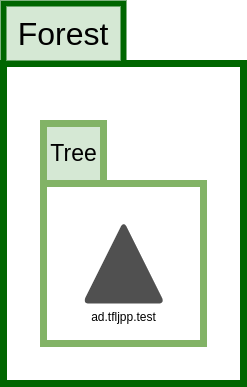
The Domain, the Tree and the Forest

Domains, Trees and Forests, what now? I thought we were talking about donkeys and blueprints.
Bear with me here, it might not fit into our last theme, but since this is the actual real terminology used by Microsoft, I’d like to stick by them.
The Domain is basically the over al group that contains ALL the objects stored in the Active Directory database. A Domain can be hosted on 1 or multiple Domain Controllers (that thing we created previously). When using multiple Domain Controllers within 1 domain the changes to the Active Directory Database (NTDS) are replicated between all Domain Controllers.
This is a singular domain
Regardless of how big your AD becomes or on how many locations in the world its located, when possible (the scalability/limits are pretty huge.), and I can’t stress this enough, you want to use a singular Domain since it simplifies AD management a ton. However this sadly isn’t always possible duo support for other versions Active Directory servers (Functional Levels) or corporate shenanigans/politics.
There’s also this concept called a Enhanced Security Administrative Environment (ESAE), also known as a Red Forest which Microsoft released after NotPetya hit the world. If implemented correctly this greatly reduces known attack vectors in AD, but its way to complicated to cover during this stage of the guide.
Child Domain
Let’s say that ‘Threepwood’s Fine Leather Jackets and Pirate Paraphernalia’ wants all the Office monkeys to work in their own Child Domain. Why would they want that? I have no idea. Let’s just settle it under ‘Corporate Shenanigans’. This would look something like this.
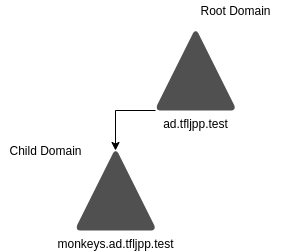
This is a Root Domain with a Child Domain
Tree
When you have a child domain within the same Root Domain it is referred to ‘being in the same Tree’. They are however still separate domains. Each Domain needs at least 1 separate Domain Controller. This means that each Domain in a Tree has its own Active Directory Database (NTDS) with its own objects such users, groups etc.
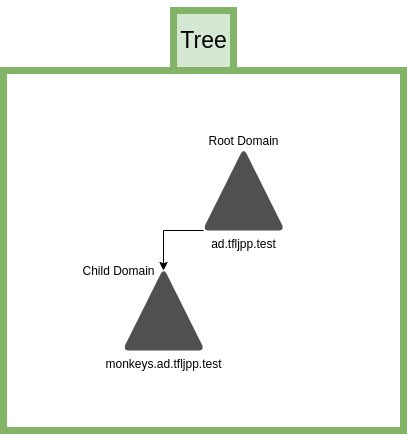
This is what the Tree looks like.
A tree can consist of multiple child domains, they can even be inherent from each other, but there can only be 1 Root Domain, this is also referred to as the Tree Root. The advantage of creating these child domains from the Tree Root is that there is a trust created between each of the domains. This means that users from monkeys child domain can access resources in the pirates child domain, if they would have the appropriate rights to that resource of course.
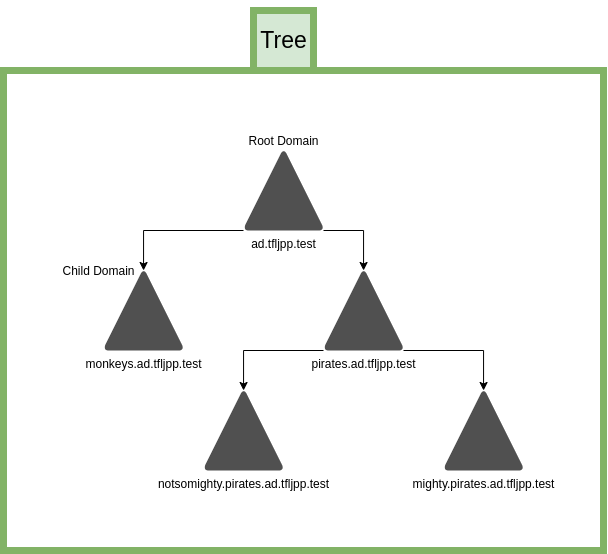
Domains can have multiple child domains, including child domains themselves
Forest
Now let’s say that over time the TFLJPP company grows and acquires another company, ‘Wally B. Feed Cartography and Co’. The acquired company already has an AD configured with their own Tree. You could migrate over all the users/systems from this over to your Tree, but this can be a daunting and time-consuming task. So, what we can do is add their Tree to our Forest. Doing this adds a trust between these two tree’s. This means that, like with child domains, access to resources can now be shared cross company.
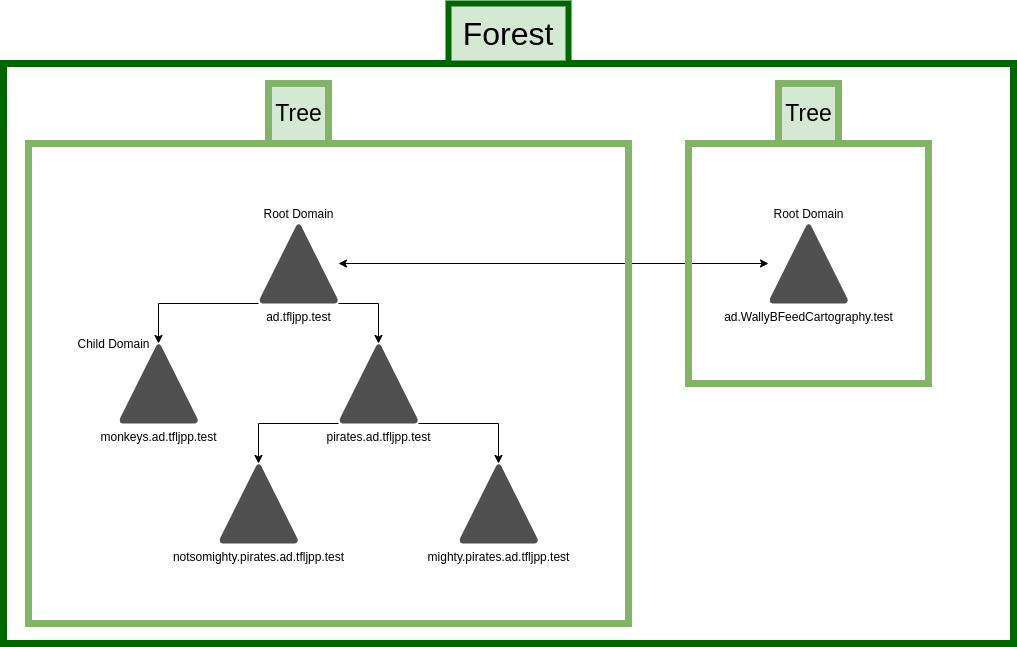
This is wat a Forest looks like with multiple Tree's
There are actually other types of trusts, such as shortcut, forest, external and realm trusts. Each with different characteristics (Transitive vs. Non-Transitive), direction types (One-way or Two-way) and authentication mechanism (Kerberos V5 or NTLM). I will not go into detail’s here since if I were to cover it fully it would require a lot more of preexisting knowledge of AD internals such as NTLM and Kerberos, which are even heavy topics to cover on their own. Just remember that I generally recommend against multiple domains/tree’s/forest and trusts due the added complexity and security risks, unless you truly understand what you are doing/are building a Red Forest.
What we currently build
A forest can incases multiple domains and trees into 1 structure but doesn’t have to. We already created a Forest and a tree when we setup Active Directory. These are created automatically.