Virtual Network
Let us first start with our new Virtual Network. This network will ensure the machines we will be creating are segmented off for your own home network.
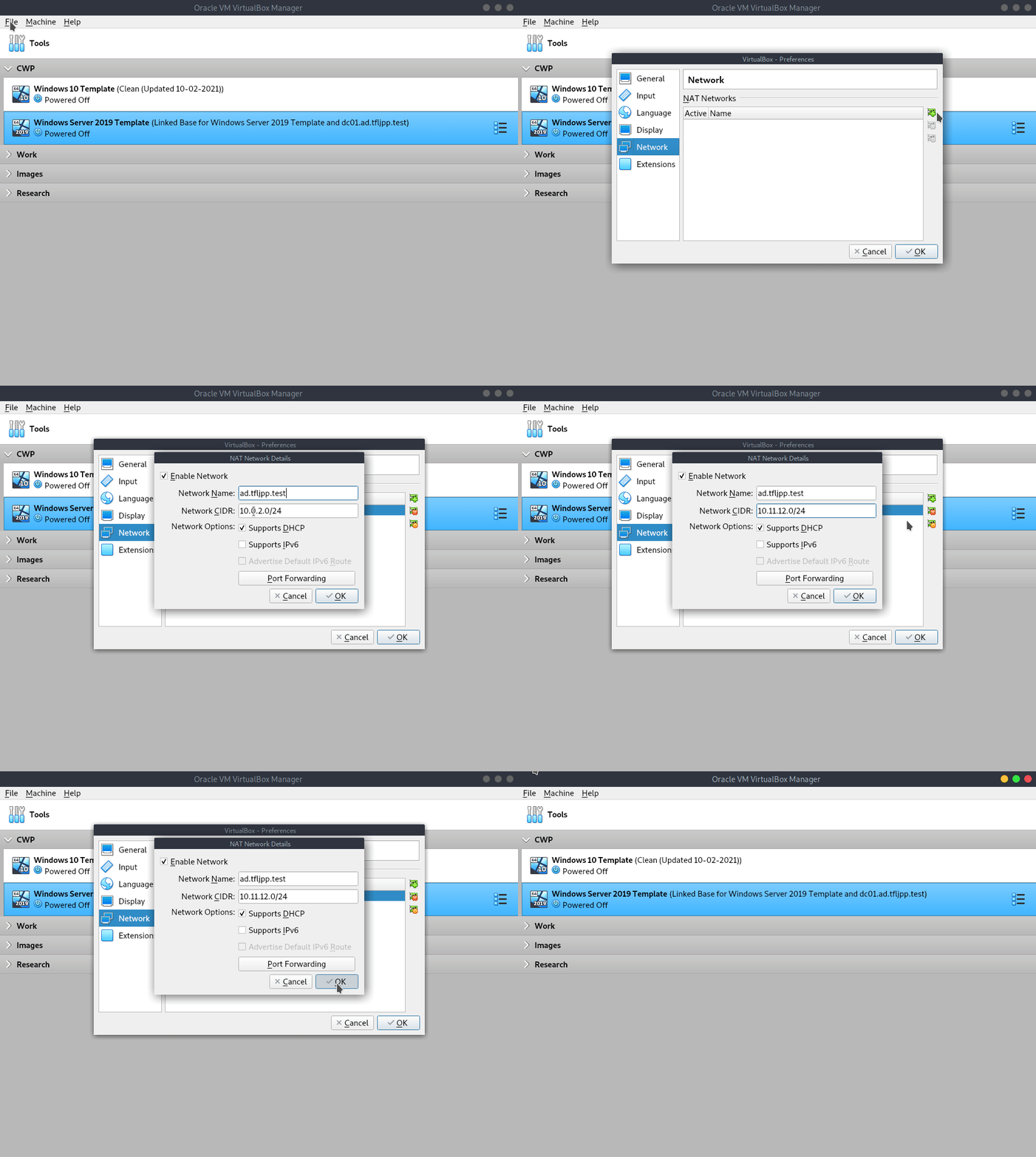
In VirtualBox go to File -> Preferences -> Network and click on the green plus icon. This will add a new virtual network.
Now double click on this new virtual network add update the following settings. Once you are done click on OK twice to close these windows.
| Network Name | Network CIDR | Support DHCP | Supports IPv6 |
|---|---|---|---|
| ad.tfljpp.test | 10.11.12.0/24 | ✅ | ❌ |